
Why You Need SOP Management Software

SOPs get lost between Google Drive, Slack, and email because none of those three tools were built to be a system of record. Drive holds files, Slack holds conversations, and email holds messages, and a process that lives across all three at once effectively lives nowhere. The fix is SOP management software: a single place where a procedure is created once, stays current, and is the same document every person on the team sees when they go looking for it.
I’ve watched this happen inside my own team more times than I’d like to admit. Someone documents a process carefully, drops it into a Drive folder, pastes the link in a Slack channel, and maybe forwards it by email to a new hire, just in case. Three months later, nobody can find the “real” version. There are two documents with slightly different steps, a Slack thread with a critical exception buried on page four of scroll history, and an email attachment that’s now sitting in someone’s archive who left the company. The process didn’t fail. The storage did.
The SOP Graveyard: Where Good Processes Go to Die
Every team I’ve worked with has some version of a “Processes” folder in Google Drive. Go check the last modified dates on the files inside it. Most haven’t been touched in months, some in years, and a few were written by people who no longer work there. That’s not a coincidence. It’s what happens when documentation has no home of its own and gets scattered across tools that were designed for other jobs entirely.
Here’s how the same SOP tends to fragment across all three:
None of these tools were designed to answer the one question an SOP exists to answer: how is this task actually done, right now, by whoever is doing it. Drive can hold a file, but it can’t tell you if that file is the current version or a draft from eight months ago.

Slack can hold a conversation, but a process buried in a thread disappears the moment the channel keeps moving. Email can hold an attachment, but it only reaches the people who were on that one thread, and it’s frozen the second it’s sent.
The Real Cost of Scattered SOPs
This isn’t just a tidiness problem. It shows up as measurable lost time and real compliance risk.
| 1 | McKinsey’s research on the connected enterprise found that knowledge workers spend roughly a fifth of their work week simply searching for information they need to do their jobs. (McKinsey & Company) That’s a full day a week, per employee, spent hunting through folders, channels, and inboxes instead of doing the work the SOP was supposed to make faster. |
| 2 | It gets worse when the search actually fails. Research on internal knowledge management has found that a huge share of employee searches for information end without an answer at all, because the material is buried, duplicated, or simply wrong. (Starmind) When your SOP exists in three slightly different versions across Drive, Slack, and email, you’re not just making it hard to find. You’re making it likely that the version someone finds is the outdated one. |
| 3 | For teams in regulated industries, the stakes are higher still. The FDA’s most common inspection findings include procedures that exist on paper but aren’t being followed in practice, and this single issue has generated over two hundred citations in recent years. (FDA Form 483 data via Auria Compliance) Even organizations with dedicated compliance budgets fall into this trap when their SOPs don’t live in a place people actually use day-to-day. |
Here’s what that fragmentation typically costs a growing team:
None of this is because teams don’t care about their processes. It’s because the tools holding those processes were never built to be found, trusted, or kept current.
Two Different Jobs, One Tool Trying to Do Both
Here’s the part I think most growing teams get wrong: they assume a project management tool and an SOP tool are solving the same problem. They aren’t.
A project management tool answers three questions on a running basis: what needs to be done, who’s doing it, and when it’s due. It’s the accountability layer of the business. An SOP lives somewhere else entirely. It answers a different question: how is this task actually done? It’s the reference layer, the thing a new hire opens on day one and the thing an experienced team member checks when they hit an edge case they haven’t seen before.
When a team tries to force one tool to do both, it shows up fast. Cram an SOP into a task description in a PM tool, and it disappears the moment that task is archived. It has no version history. Nobody browsing next month’s tasks will ever stumble across it again. Flip it around and try to run daily task assignment out of a documentation tool, and you get the opposite failure: a beautifully written library of processes with no way to say “Sarah needs to finish this by Friday.”

This is exactly why SOPs end up scattered across Drive, Slack, and email in the first place. Teams don’t have a dedicated home for “how we do things,” so the SOP gets duct-taped onto whatever tool is closest at hand. A file goes in Drive because that’s where documents live. A clarification happens in Slack because that’s where people are already talking. A copy gets emailed because that’s the fastest way to get it in front of one specific new hire. Three tools, three partial copies, zero source of truth.
The businesses that get this right don’t try to solve it with one tool wearing two hats. They keep the “what and when” running in project management software, and they give the “how” a proper home in a workspace built to be a living reference, one that’s searchable, versioned, and current the day someone opens it, not the day it was written.
What to Actually Look For in SOP Management Software
Once a team accepts they need a dedicated home for their SOPs, the next question is what that home actually needs to do. Not every documentation tool qualifies, and a lot of “good enough” options end up recreating the same scattering problem in a new location.
Here’s the checklist I use when evaluating this for a team:
The businesses I’ve seen struggle the most with this are the ones treating SOP software as a compliance checkbox rather than a working tool.
This is also where the SOP management software vs. general documentation debate matters. A generic wiki or shared Drive can technically hold a process. Purpose-built SOP management software is designed around the process itself, with the search, versioning, and accountability features above baked in from the start, rather than approximated with folder structures and file naming conventions.
Moving Your SOPs Out of the Graveyard: A Practical Migration Path
Fixing this doesn’t require a company-wide mandate or months of preparation. I’ve found the teams that actually pull it off treat it as a focused, incremental project rather than a big-bang roll-out.
| 1 | Audit what already exists: Before creating anything new, I go through Drive folders, pinned Slack messages, and email attachments to find every version of every process currently in circulation. This step alone usually surfaces duplicate or conflicting versions nobody realized existed. |
| 2 | Pick one owner per process: Every SOP needs a single person responsible for keeping it accurate. Without an owner, the same document rots the way the old one did, just in a new location. |
| 3 | Migrate the highest-friction processes first: Don’t try to move everything at once. I start with whatever process generates the most repeated Slack questions, since that’s the clearest signal of where the current system is failing people the most. |
| 4 | Kill the old copies: This is the step teams skip, and it’s the one that matters most. If the Drive file and the email attachment still exist alongside the new version, people will keep finding the wrong one. Archive or delete the duplicates as soon as the new version is live. |
| 5 | Link the SOP into the actual task: A process that lives next to the work gets used. A process that requires someone to leave their task and go searching gets ignored. Attaching the SOP directly to the relevant project or task closes that gap. |
| 6 | Set a review cadence: An SOP is only trustworthy if it’s current. I schedule a recurring check; quarterly works well for most teams, so processes get revisited before they go stale rather than after someone follows outdated steps. |
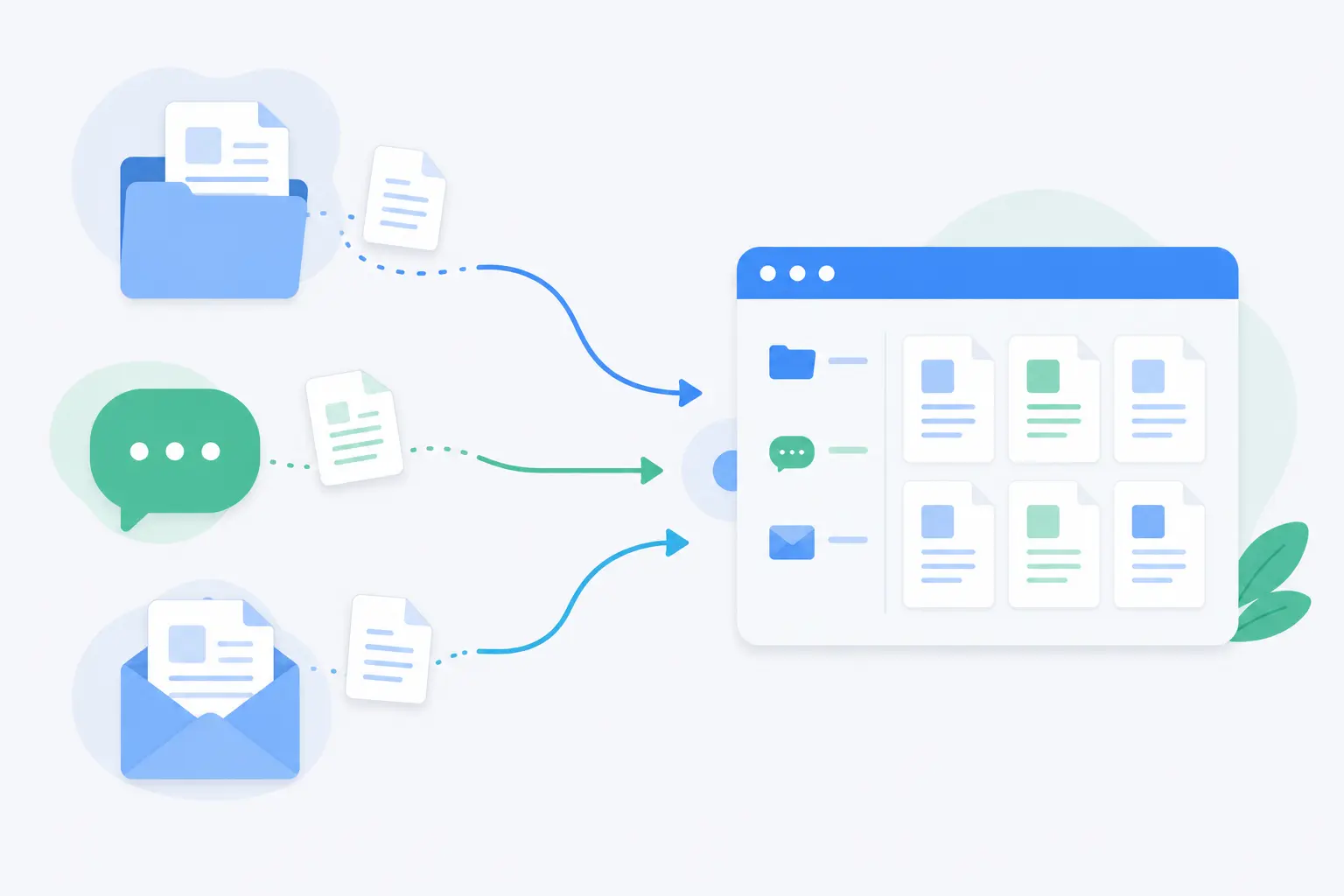
None of these steps require new headcount or a long implementation timeline. They require picking a system built to hold the “how” of the work properly, and then actually retiring the old scattered copies once it’s in place.
The Bottom Line
Scattered SOPs aren’t a people problem. They’re a storage problem, and storage problems have straightforward fixes. Drive, Slack, and email are excellent at what they were built for: holding files, running conversations, and sending messages. None of them were ever meant to be the permanent, searchable, single home for how your business actually operates. Expecting them to be is what creates the graveyard in the first place.
The fix isn’t more documentation. It’s giving the documentation you already have a proper home, one with real search, version control, ownership, and a direct link to the daily work it’s meant to guide.
I’d rather spend an afternoon migrating our highest-friction SOPs into a system built for them than spend another quarter answering the same Slack question for the fifth time. That’s the whole case for SOP management software: not a bigger tool, just the right one, doing the one job Drive, Slack, and email were never designed to do.
Still stitching processes together across three different tools?
That’s usually the clearest sign it’s time for a centralized workspace built to hold both the work and the documentation behind it, which is exactly the gap Techxaro One is built to close.
