
Projects, Tasks & Knowledge in One Platform
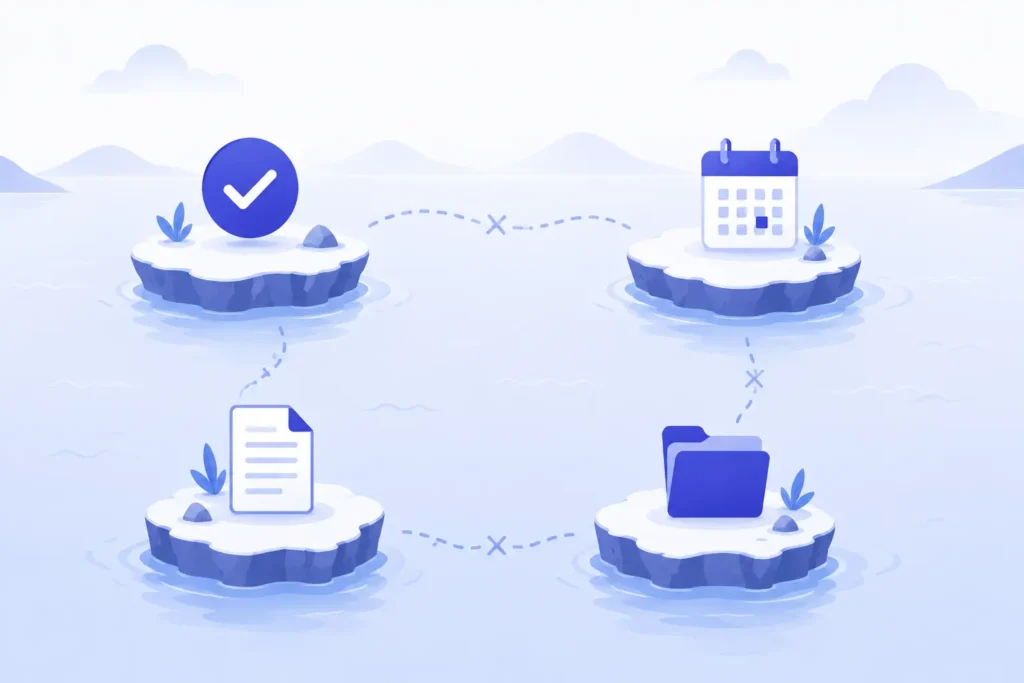
Teams connect projects, tasks, events, and knowledge by using a single workspace where each of these pieces links directly to the others, rather than existing as four separate systems a person has to check individually. In practice, that means a task lives inside its project, a meeting on the calendar links back to the task it’s discussing, and the documentation explaining how to do the work sits one click away from the work itself, not buried in a separate wiki nobody opens. All-in-one project management software is what makes this possible, because it’s built around one shared data model instead of stitching four different tools together with integrations that break the moment something changes.
I’ve worked with teams running this the hard way: task list in one app, calendar in another, meeting notes in a shared doc, and “knowledge” scattered across whoever happened to document it last. The problem was never a lack of information. It was that none of it lived anywhere near the work it was actually about. A task would reference a meeting that happened two weeks ago with no link to it. A process document would exist, technically, three folders deep, disconnected from the project it was meant to guide. Connecting these four things isn’t a nice-to-have organizational preference. It’s the difference between a team that has to reconstruct context every single time and one that already has it sitting right there.
Why These Four Pieces Get Disconnected in the First Place
This fragmentation isn’t a failure of any single tool. Task apps are genuinely good at tasks. Calendar apps are genuinely good at scheduling. The problem starts the moment a team needs all four working together, because most software is built to be excellent at one job, not to be the connective tissue between four different kinds of work.
I’ve watched this happen the same way on nearly every team I’ve been part of. It starts small and reasonable. The task tool gets picked first, because tasks are the most obvious thing to manage. Then a calendar tool gets added for meetings, since the task tool doesn’t really do scheduling well. Then a wiki or shared drive shows up because someone needs to write down a process, and neither of the first two tools has a real place for documentation. None of these were bad decisions individually. But nobody ever chose the combination, and nobody ever built the connections between them, because that wasn’t any single tool’s job.
The result is a team with genuinely more information than they’ve ever had, and less ability to find any of it when it matters. A task references a client decision that was actually made on a call, but the call notes live in a separate meeting tool with no link back to the task. A recurring project milestone shows up on the calendar, but the actual project plan behind it is a document nobody attached.
That’s the real cost of disconnection. It’s not that information disappears. It’s that every person on the team has to reconstruct context from scratch, every time, because nothing points back to anything else. Platforms like Techxaro One exist specifically to close that gap by keeping projects, tasks, events, and knowledge inside one shared structure instead of four tools hoping an integration keeps them loosely in sync.
What “Connected” Actually Looks Like in Practice
It’s worth being specific here, because “connected” can sound abstract until you see what it actually changes day to day. The difference isn’t a new feature. It’s that four things that used to require four separate lookups now require none, because each one already points to the others.
Here’s how that plays out across the four pieces:
The practical effect is that a new team member, or honestly anyone who’s been out for a week, can open a single project and see everything relevant to it: the tasks, the meetings tied to it, and the documentation explaining how the work should be done. Nobody has to remember to loop them in on four different tools. Plane’s research on this frames it well: teams that treat knowledge as something connected directly to execution, rather than something documented separately after the fact, build stronger and more consistent delivery practices over time. (Plane)
Connection isn’t about better communication habits. It’s about making sure a decision made anywhere is visible everywhere it’s relevant, without anyone having to remember to forward it.

This is the structural difference between a team using four separate tools with good intentions, and a team working inside something like Techxaro One, where a project, its tasks, its events, and its documentation were never separate to begin with.
The Real Cost of Staying Disconnected
The cost of running four disconnected systems isn’t abstract. It shows up as measurable lost time, every single day, across every person on the team.
Research from Harvard Business Review found that knowledge workers toggle between different apps and tools over a thousand times a day, and that reorienting themselves after each switch adds up to roughly four hours a week per person. (HBR data via Cannelevate) UC Irvine’s research on this puts a number on the recovery cost itself: it takes an average of twenty-three minutes to fully refocus after a single interruption. (UC Irvine research via Rock) When a task, a meeting, and the documentation explaining how to do the work all live in different tools, every handoff between them is a fresh interruption, and every interruption carries that same recovery tax.
Here’s what that adds up to at different team sizes:
These figures come from research on context switching more broadly, not from disconnected project tools specifically, but the mechanism is identical. (Waymaker research)
Every time someone has to leave a task to go find the meeting notes that explain it, or leave a project to go search a separate wiki for the process behind it, that’s a context switch with the same recovery cost as any other interruption.
What makes this particularly expensive for teams is that it’s invisible on any single day. Nobody notices twenty-three minutes here or there. It only becomes visible in aggregate, in a quarter where deadlines slipped, and nobody can point to exactly why, because the cost was never one big failure. It was hundreds of small ones, distributed across every person, every day.
How to Actually Connect These Four Pieces
Getting from four disconnected tools to one unified workspace doesn’t require a company-wide overhaul overnight. I’ve found the teams that pull this off treat it as a structured migration, not a single big switch.

| 1 | Start with the project as the anchor point. Every task, every meeting, and every piece of documentation should trace back to a project. If a task or event exists with no clear project it belongs to, that’s usually the first sign of fragmentation, since it means the work has no home to be found later. |
| 2 | Move recurring meetings onto a calendar tied to the actual work. A meeting that isn’t linked to the project or task it’s about becomes untraceable the moment it’s over. I look for calendar tools that let an event reference the specific task or milestone it covers, not just a generic time block with a vague title. |
| 3 | Bring documentation into the same workspace as the work it explains. A process document that lives in a separate wiki, disconnected from the project it guides, gets stale and unfindable the same way a scattered SOP does. Documentation earns its keep by sitting one click away from the task someone’s actually doing. |
| 4 | Audit what’s currently scattered before consolidating. Before moving anything, I go through the existing task tool, calendar, and knowledge base to find what’s actually being used versus what’s outdated. This step alone usually reveals how much duplicate or conflicting information has accumulated across the separate systems. |
| 5 | Migrate one project at a time, not everything at once. Pick a single active project and rebuild it inside the unified workspace, tasks, events, and documentation all connected from the start. Seeing one project work end to end is far more convincing to a team than a company-wide mandate handed down before anyone’s seen the payoff. |
| 6 | Retire the old tools deliberately. This is the step most teams skip, and it’s the one that matters most. If the old task app and the old wiki are still technically accessible, people will keep checking them out of habit, and the fragmentation never fully goes away. |
None of these steps require new headcount or months of preparation. They require choosing a workspace built around one shared structure, projects, tasks, events, and knowledge connected from the start, rather than four tools hoping an integration keeps them loosely in sync.
FAQs
What does it mean to connect projects, tasks, events, and knowledge in one platform?
It means each piece of work links directly to the others instead of existing in separate tools. A task opens inside its project, a calendar event ties back to the task or milestone it covers, and documentation sits attached to the project it explains, so nobody has to search across multiple systems to reconstruct context.
Why do teams end up using separate tools for tasks, calendars, and documentation?
Most teams pick each tool to solve one problem at a time: a task app for tasks, a calendar for scheduling, a wiki for documentation, without ever choosing the combination deliberately. Each tool is genuinely good at its one job, but nobody designed the connections between them, so the fragmentation accumulates gradually rather than through one bad decision.
How much time do teams actually lose from switching between disconnected tools?
Research on context switching puts the recovery cost at roughly twenty-three minutes per interruption, and knowledge workers toggle between tools over a thousand times a day, adding up to several hours a week per person. For a team of fifty, that can total hundreds of lost hours a month once you account for every handoff between a task, a meeting, and the documentation behind it.
What’s the difference between an all-in-one platform and using integrations between separate tools?
Integrations connect two tools after the fact, syncing data between systems that weren’t originally designed to share it, which tends to break whenever either tool updates. An all-in-one platform is built around one shared data model from the start, so a task, its project, its related events, and its documentation are the same underlying data, not copies kept in sync across separate systems.
Where should a team start if they want to consolidate scattered tools?
Start with a single active project rather than attempting a company-wide switch at once. Rebuild that one project inside a unified workspace, with its tasks, events, and documentation all connected, and use it as proof before migrating anything else. Seeing one project work end to end tends to convince a team far faster than a mandate handed down before anyone’s seen the result.
Final Thoughts
Every team I’ve watched struggle with fragmented work wasn’t short on information. They had plenty of it, tasks, calendars full of meetings, documentation somewhere. What they lacked was the connective tissue between those four things, the ability to open one project and see everything relevant to it without hunting across four separate systems.
One shared structure, not four disconnected tools
I’d rather spend a week rebuilding a single project inside a unified workspace than spend another quarter watching my team reconstruct context that already existed somewhere, just not anywhere connected to the work. That’s the real case for all-in-one project management software: not fewer tools for the sake of simplicity, but one shared structure where a project, its tasks, its events, and the knowledge behind it were never separate to begin with, which is exactly what Techxaro One is built to provide.
