
Best Project Management System (2026) Guide
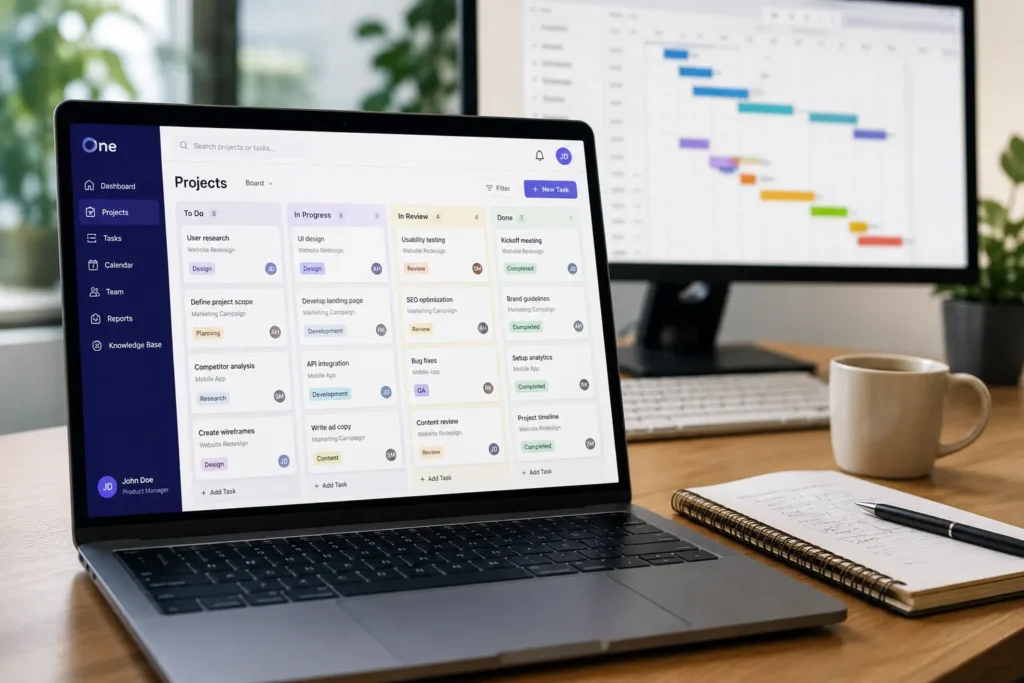
The best project management software in 2026 isn’t a single tool; it’s whichever platform matches your team’s workflow, budget, and technical needs closely enough that people actually use it. I’ve spent the last three-plus years testing, implementing, and writing about PM tools for teams ranging from three-person agencies to 200-person product org, including hands-on time with platforms like Techxaro One and the pattern is consistent: the “best” tool on paper is often the second or third choice a team ends up sticking with, because the top pick looked great in a demo but fell apart during actual roll-out.
That’s really the core problem with most “best PM software” roundups: they rank tools by feature checklists instead of by fit. In this guide, I’m not just going to tell you which tools are popular. I’ll walk through what project management software actually does, why choosing the right one measurably affects whether your projects succeed, and how to run a real evaluation process instead of picking whatever’s ranked #1 on a listicle. Then we’ll get into pricing realities, AI capabilities worth paying for, security requirements, and how painful (or not) it is to leave a tool once you’re locked into it.
What is project management software, and why does it matter?
At its simplest, project management software is a system that helps you plan, execute, track, and collaborate on projects in one place, instead of spread across email threads, spreadsheets, and sticky notes. That sounds basic, but the “in one place” part is doing a lot of work; it’s the difference between knowing where a project actually stands and guessing.
Most modern platforms bundle a core set of capabilities: task management, scheduling through Gantt charts or timelines, Kanban boards, resource management, time tracking, reporting dashboards, automation, third-party integrations, permission controls, mobile apps, document management, and, for client-facing teams, portals and invoicing (project-management.com). Not every tool does all of this well, which is exactly why the “choose” section later in this guide matters more than any top-10 list.
Here’s the part that doesn’t get said enough: the software itself isn’t just a nice-to-have organizational layer. There’s a real, measurable link between using standardized PM practices, the kind good software enforces, and whether projects actually succeed.
How does project management software improve project success rates?
The data backs this up pretty clearly. According to PMI’s research, the average project performance rate sits at 73.8%, meaning roughly 1 in 4 projects misses its goals entirely (Workzone). But the gap widens dramatically depending on whether teams use standardized project management practices: 74% of projects meet their goals when standardized practices are in place, compared to just 58% without them.
| 73.8% Project-performance rate; roughly 1 in 4 projects misses its goals. |
74% vs 58% Success rate with standardized PM practices in place, vs. without them. |
42% vs 13% Agile project success rate vs. Waterfall. |
There’s also a business-acumen angle worth flagging. Only 18% of PM professionals demonstrate high business acumen, yet that group achieves a 27% lower failure rate (8% vs. 11% for everyone else). That’s a meaningful reminder that software alone won’t save a project; it needs to be paired with people who understand the business context, not just the tool’s interface.

Methodology matters too. Agile projects succeed at a rate of 42%, compared to just 13% for Waterfall projects. This is directly relevant to software selection, because most modern PM tools are now built around Agile workflows, sprint boards, backlogs, iterative planning, rather than rigid, linear Gantt-only structures. If your team is still running Waterfall-style projects in a tool designed for Agile (or vice versa), you’re fighting the software instead of using it.
Quick summary of the data:
The takeaway for anyone shopping for project management software: this isn’t just about picking a tool with a nice interface. Choosing (and actually adopting) a system that enforces standardized practices and fits your team’s methodology directly affects whether your projects hit their goals.
What does a project manager do, and how does software help?
Before comparing tools, it’s worth stepping back and asking what a project manager is actually responsible for day-to-day, because every feature in a PM platform exists to solve one of these specific jobs, not to look impressive in a sales demo.
A project manager’s core responsibilities generally break down into: defining project scope, planning schedules, allocating resources across tasks and people, managing risks before they become problems, tracking progress against the plan, communicating status to stakeholders, controlling budgets, and ensuring the final output meets quality standards.
This is why I always tell people evaluating PM software to start from their actual job responsibilities, not from a feature list a vendor hands them. A tool can have an impressive Gantt chart and still fail you if its risk-tracking or budget features are an afterthought.
Which PM tasks are most time-consuming without the right system?
In my experience, and this tracks with what most PMs report, the biggest time drains aren’t the “big” strategic parts of the job; they’re the repetitive, manual overhead tasks: chasing team members for status updates, manually compiling reports from five different sources, juggling multiple disconnected tools, and catching missed task dependencies too late to adjust the schedule.
This is exactly where the AI shift in project management software is aimed. The adoption data on this is pretty telling. Among organizations using AI in project management, 62% report using it for automated status reporting, 54% for automated scheduling and task assignment, and 48% for automated risk identification (StealthAgents). These three use cases map almost exactly to the pain points above.
| 62% of org using AI in PM use it for automated status reporting |
54% use it for automated scheduling and task assignment |
48% use it for automated risk identification |
That said, adoption of these capabilities isn’t universal yet, and there’s a meaningful skills gap on the human side of the equation, which I’ll get into more in the AI section later in this guide (VACT).
The practical implication for your software search: when you’re comparing tools, don’t just ask “does it have Gantt charts and Kanban boards”; ask specifically whether it automates the reporting and status-chasing work that’s actually consuming your team’s time. That’s often the difference between a tool people tolerate and one people are glad they switched to.
How do you choose the best project management software for your team?
This is the section most “best PM software” articles skip entirely; they jump straight to a ranked list of tools without ever explaining how you’re supposed to figure out which one fits your team.

Based on what’s worked well for teams I’ve advised, and building on the framework Paymo outlines in its own selection guide, here’s a five-step process that goes beyond a simple feature checklist (Paymo):
| 1 | Assess your current workflows and pain points first. Before you look at a single tool, document how your team actually works today, where things break down, where time gets lost, where miscommunication happens. |
| 2 | List must-have features by role. What the project manager needs is different from what team members need, and different again from what clients or executives need. |
| 3 | Translate needs into weighted criteria. Turn your requirements into a scoring rubric: task management, available views, collaboration tools, reporting depth, automation, integrations, security, pricing, and weight each based on how critical it is. |
| 4 | Shortlist 3–5 tools and run structured pilots. Don’t evaluate based on marketing pages or demo calls alone. |
| 5 | Evaluate total cost, lock-in risk, and implementation effort, not just the sticker price on the pricing page. |
What criteria should you use to compare project management systems?
| ✓ | Task and workflow management: views, dependencies, subtasks, and templates |
| ✓ | Collaboration: comments, @mentions, embedded docs, client-facing access |
| ✓ | Planning and tracking: Gantt charts, timeline views, Kanban boards, milestones |
| ✓ | Resource and workload management: capacity views, overallocation warnings |
| ✓ | Reporting and dashboards: how easily you can generate and share status updates |
| ✓ | Automation and integrations: what connects natively vs. requires a third-party bridge |
| ✓ | Security and compliance: SOC 2, ISO 27001, data residency |
| ✓ | Pricing and total cost of ownership: not just the advertised per-seat price |
| ✓ | AI capabilities and their real limits: what’s genuinely useful vs. bolted-on |
A simple 1–10 scoring model, weighted by how much each criterion matters to your team, keeps this process from turning into a subjective argument in a Slack channel.
How can you run a practical pilot before committing?
Don’t skip the pilot step, even under time pressure. A good pilot runs 2–4 weeks with real, active projects. During the pilot, track:
| ✓ | Time to create a working project plan |
| ✓ | Ease of status reporting |
| ✓ | Adoption rate: are team members actually using it daily |
| ✓ | Time-to-value (TTV): how quickly the team starts getting real benefit |
It’s worth involving a cross-functional pilot team rather than just PMs, plus an executive sponsor who can help clear roadblocks if the roll-out needs organizational buy-in.
Which project management software is best for different team sizes and use cases?
Generic “best for” labels are one of the most misleading things in PM software roundups. So let’s break this down by both team size and use case.
By team size: Solo/freelancer (1–2 users), Small teams (3–10), Mid-size teams (11–50), Large/enterprise (50+).
By use case: Agencies/professional services, product/engineering teams, marketing/creative teams, and operations/PMO functions.
What are the best options for freelancers and very small teams?
If you’re a freelancer or running a very small team, the calculus is almost entirely about how much you get on the free tier before you’re forced to upgrade. ClickUp, Trello, Asana (free up to roughly 10–15 users), and Notion all have workable free plans, and Linear also offers a free tier for smaller product-focused teams.
ClickUp’s free tier is notable for offering unlimited tasks and unlimited users, while Trello and Asana cap things at the board or user level, and monday.com’s free plan is more restrictive still.
Which tools work best for agencies and professional services?
Agencies and professional services firms have a different priority list entirely: time tracking, invoicing/billing, client portals, and resource management across multiple concurrent client projects matter far more than they do for an internal-only team.
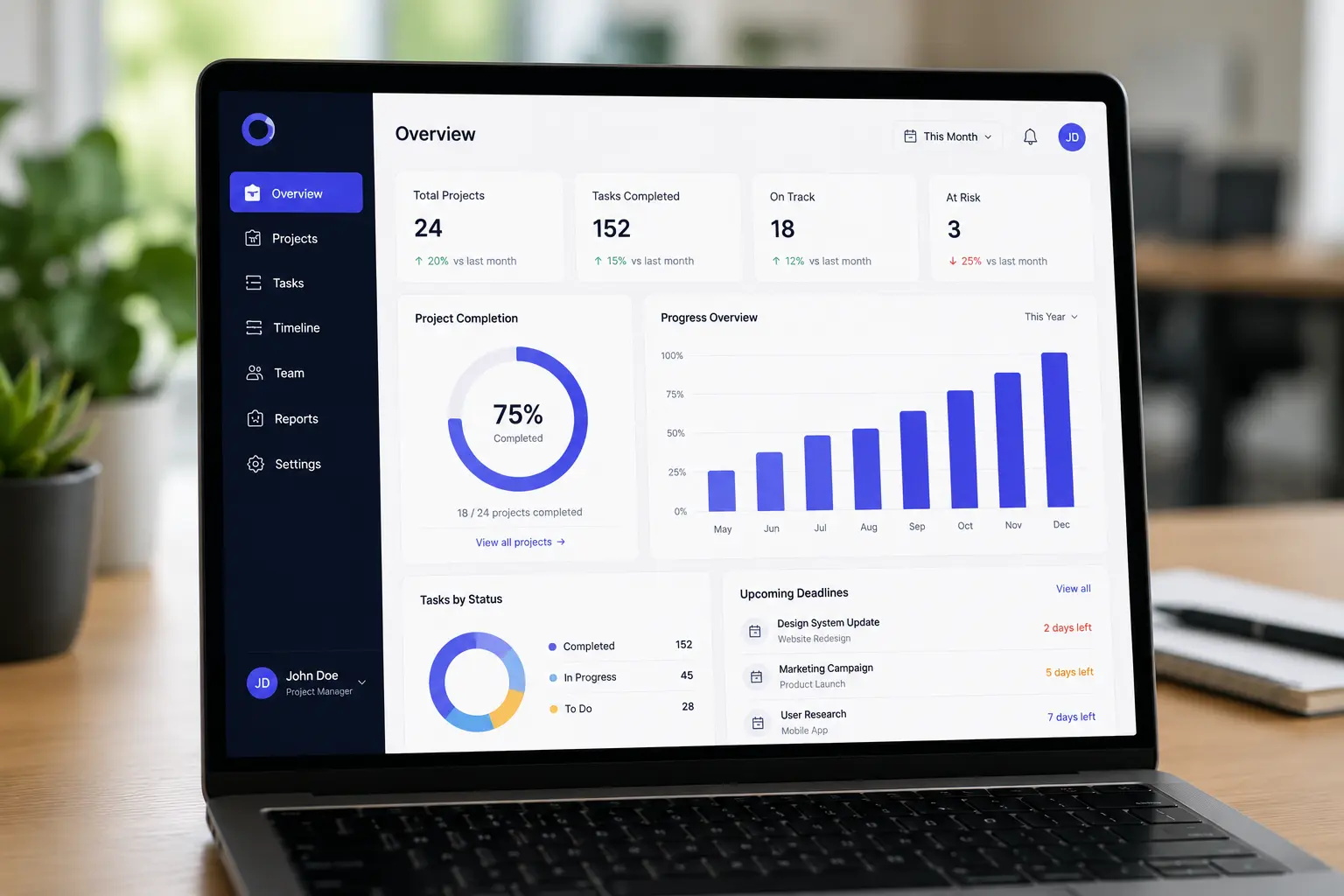
Paymo, Teamwork, ClickUp, monday.com, and Asana all show up as strong fits here, but they’re not interchangeable; Paymo and Teamwork in particular lean harder into built-in time tracking and invoicing depth (Paymo).
What do software and product teams prefer for agile project tracking?
For engineering and product teams running Agile workflows, Jira, Linear, ClickUp, and Asana (particularly on advanced or enterprise plans) tend to dominate, along with monday dev as a newer entrant. Native Agile support, sprint planning, backlog management, dedicated boards, plus direct integrations with developer tools like GitHub and GitLab are what separate these from general-purpose PM tools (project-management.com).
Which systems scale best for mid-size and enterprise teams?
Once you’re past 50 users, evaluation criteria shift toward advanced permissions, SSO/SAML support, audit logs, resource and portfolio management, custom object types, and enterprise-grade support. Monday Enterprise, Asana Enterprise, ClickUp Enterprise, and Jira Premium/Enterprise are the common contenders, and dedicated PPM platforms like Planview or Planisware often enter the conversation for true portfolio management (project-management.com).
Quick reference by segment:
How much does project management software really cost in 2026?
Headline pricing on a vendor’s website rarely tells you what you’ll actually pay. Most PM software pricing follows a similar structure: per-user/month billing, sometimes with seat minimums, tiered feature access, and increasingly, separate AI or automation add-oms.
What are the real costs of popular tools like Asana, Monday, and ClickUp?
Looking at 2026 pricing data, entry-level paid tiers land in a fairly tight range: ClickUp starts at $7 per user/month, Asana at $10.99, and monday.com at $9, though monday.com’s pricing comes with a 3-seat minimum (SaaSTrueCost).
Free plan limits vary just as much: ClickUp’s free tier offers unlimited users and unlimited tasks, Asana’s tops out around 10–15 users, and monday.com’s free tier is restricted to just 2 users and 3 boards.
What hidden costs should you watch for?
| ✓ | Seat minimums: monday.com’s 3-seat minimum means a 2-person team pays for a phantom third seat |
| ✓ | Automation and AI credit limits: many platforms cap monthly automated actions, with overages billed separately |
| ✓ | Storage caps: on free and lower-tier plans (SaaSTrueCost) |
| ✓ | Advanced integrations, SSO, and custom fields: frequently locked behind the highest-priced tiers (SaaSTrueCost) |
How can you estimate total cost over 12–24 months?
TCO = (users × monthly price × months) + add-oms + overages + training/implementation
How are AI features changing project management software?
AI has gone from a novelty add-on to a genuine comparison dimension, but there’s a real gap between how many tools have AI features and how many teams actually use them.
78% of the 51 PM and product tools surveyed now include AI features, and 61% of PM software products have AI capabilities built in, but only 43% of organizations are actively using them (StealthAgents). Where AI is actually getting used, the top cases are automated status reporting, task suggestions, risk identification, and budget forecasting.
| 78% of the 51 PM and product tools surveyed now include AI features |
61% of PM software products have AI capabilities built in |
43% of organizations are actively using those AI capabilities |
What AI capabilities do leading tools offer in 2026?
ClickUp Brain, Asana AI, monday AI, and Jira AI generally offer some combination of task generation, content summarization, sprint planning assistance, meeting notes, and natural-language querying (GigaCatalyst). Depth varies a lot; some embed AI deeply into core workflows, while others treat it more as a summarization layer bolted on top.
How much do AI features cost, and are they worth it?
AI features are frequently gated behind mid-to-upper pricing tiers or sold as usage-based add-oms. Forrester’s Total Economic Impact study on Microsoft 365 Copilot offers a reasonable proxy for AI productivity gains in knowledge work broadly, finding a 116% ROI and roughly 9 hours saved per user per month. Only about 20% of project managers report having strong AI skills, which creates a real skills gap (VACT).
| 116% ROI found in Forrester’s Total Economic Impact study on Microsoft 365 Copilot |
~9 hrs saved per user per month, as a proxy for AI productivity gains in knowledge work |
~20% of project managers report having strong AI skills |
What are the risks and governance considerations for AI in PM tools?
Ask upfront: how is data used for model training, what opt-out options exist, are there data residency requirements, and how auditable are AI-generated outputs (VACT)? 23% of AI deployments stall due to data quality issues, and 43% of organizations lack the metadata infrastructure needed to properly audit AI outputs.
Quick AI evaluation checklist:
How do you manage multiple projects without losing control?
Once you’re running more than a handful of projects at once, the challenges shift from “is this task done” to context switching, conflicting priorities, resource overallocation, missed deadlines, and status blindness.
What workflows and views help most when juggling many projects?
| ✓ | Portfolio or dashboard views for execs and PMOs |
| ✓ | Workload/resource views to catch overallocation before it turns into burnout |
| ✓ | Kanban + timeline/Gantt combination for day-to-day execution |
| ✓ | Custom fields and tags for client, priority, revenue, or risk status (project-management.com) |
The failure mode I see most often isn’t a lack of features; it’s that teams set up one project beautifully as a proof of concept and never standardize the structure across the rest.
How can automation reduce the overhead of multi-project management?
Common examples include auto-assigning tasks based on rules, triggering notifications on status changes, generating recurring task templates, and SLA-based escalations. Automation depth is frequently gated by tier, so confirm the automation limits at the specific plan you’re buying, not just whether “automation” appears as a checkbox feature.
The broader stakes connect back to the project-success data earlier in this guide: scope creep, delays, and budget overruns are consistently cited as major drivers of challenged or failed projects in PMI and Standish Group research.
What security and compliance features should you require?
Security tends to get treated as a checkbox during PM software evaluation; that’s a mistake, given what actually lives inside these platforms: client contracts, financial data, product roadmaps, and sensitive personal information.
At minimum, expect encryption both in transit and at rest, MFA, role-based access controls, a data processing agreement (DPA), and subprocessor transparency.
Which certifications and standards indicate a mature security posture?
SOC 2 Type II is the baseline for US enterprise SaaS. ISO 27001:2022 is the international equivalent; the transition deadline for the 2022 revision passed in October 2025, so any vendor still citing the older 2013 certification is behind. GDPR-compliant DPAs and data residency options are non-negotiable for EU customers.
What security questions should you ask vendors before buying?
| ✓ | What data residency options do you offer? |
| ✓ | Can you provide a full subprocessor list? |
| ✓ | What’s your incident history and disclosure process? |
| ✓ | How deep and how long are audit logs retained? |
| ✓ | Do you support SSO, SAML, and SCIM? What’s your AI data usage policy? |
Capterra research puts the number at 71% of software buyers now prioritizing security in their purchasing decisions.
How hard is it to switch project management systems later?
This is the question almost nobody asks before signing up for a PM tool. Vendor lock-in shows up in your data, learned workflows, integrations, team skills, and contract terms. The mechanisms are usually subtle: limited export formats, partial or rate-limited APIs, and proprietary data schemas (Linttec).
What data export and API limitations should you check before buying?
Asana enforces 150 requests per minute on its free tier and 1,500 on paid plans, has no native bulk export tool, and requires pagination through every resource. Notion is more restrictive: 3 requests per second, no dedicated /export endpoint. For large datasets, these limits alone can turn a migration into a multi-week project.
How can you reduce lock-in risk from the start?
| ✓ | Full data export in standard, open formats (CSV/JSON) with referential integrity intact |
| ✓ | Clear API access for bulk reads, not just single-record pulls |
| ✓ | Contractual data ownership and exit assistance clauses (Linttec) |
What does implementation and onboarding really look like?
Most adoption failures don’t come from picking the wrong tool; they come from underinvesting in the people side of the roll-out.
What does a 30/60/90-day implementation plan look like?
| 1 | Days 0–30: Define success, select a pilot team, configure core workflows, import sample data, train champions. |
| 2 | Days 31–60: Run the pilot on real projects, gather feedback, adjust configuration, measure TTV and adoption. |
| 3 | Days 61–90: Phased roll-out, role-based training, governance (naming conventions, templates, permissions), review metrics. |
Onboarding speed directly affects how much of your 30-day window gets eaten up before you’re testing real workflows.
How much time and cost should you budget for training and change management?
One case study on structured LMS-based onboarding found it cut onboarding time by 40% and reduced support tickets by 62% compared to unstructured rollouts. Another example showed a 22% reduction in onboarding duration when training was properly integrated into the roll-out.
| 40% Less onboarding time with structured LMS-based onboarding vs. unstructured rollouts |
62% Fewer support tickets in that same structured onboarding case study |
22% Reduction in onboarding duration when training was properly integrated into roll-out |
What are the most common project management software mistakes to avoid?
| ✓ | Mistake 1: Choosing based on features alone, ignoring workflows and adoption. |
| ✓ | Mistake 2: Underestimating total cost and AI/automation add-oms (SaaSTrueCost). |
| ✓ | Mistake 3: Ignoring security and compliance until the procurement stage. |
| ✓ | Mistake 4: Not planning for data export and lock-in (Linttec). |
| ✓ | Mistake 5: Rolling out to everyone at once without a pilot or champions. |
How can you avoid these pitfalls when selecting and deploying a system?
Start from your actual workflows and pain points, build a weighted scoring model, run a real pilot, calculate total cost of ownership, check relevant security certifications, confirm export and API limits, and roll out in phases with dedicated champions (Paymo).
Frequently asked questions about project management software
What is the best project management software for small teams?
It depends on what “small” means. If you’re a freelancer or a 3–5 person team prioritizing cost, ClickUp’s free tier is hard to beat, alongside Trello and Notion. If you’re a small growing agency juggling multiple clients, tools built for that use case, like Paymo, Teamwork, or Techxaro One, tend to fit better than general-purpose tools.
Is free project management software good enough?
For very small teams, often yes, ClickUp’s free plan offers unlimited users and tasks, compared to Asana’s ~10–15 user cap or monday.com’s 2-user, 3-board tier (SaaSTrueCost). The limitation is usually that automation, advanced reporting, and integrations sit behind paid tiers.
How long does it take to implement a new PM system?
A structured roll-out typically follows a 30/60/90-day arc. Actual setup time for the tool itself varies a lot by platform.
What are the hidden costs of project management tools?
Seat minimums, AI/automation usage caps, storage limits on lower tiers, and advanced features like SSO locked behind top pricing tiers (SaaSTrueCost).
How do AI features affect pricing and data privacy?
AI is increasingly sold as usage-based add-oms or gated behind upper tiers. Ask directly whether your data trains vendor models and whether you can opt out; 43% of organizations lack the metadata to properly audit AI outputs (VACT).
What security certifications should I look for?
SOC 2 Type II as the US baseline, ISO 27001:2022 internationally, and GDPR-compliant DPAs for EU data.
How hard is it to migrate from Asana/Trello/ClickUp to another tool?
It depends on export and API limitations. Asana caps requests at 150–1,500/minute with no native bulk export; Notion is more restrictive still at 3 requests/second. Confirm bulk export format and API rate limits directly before committing to any tool, including checking a vendor’s own FAQ page for stated export policy.
Conclusion: Choosing the right project management system in 2026
If there’s one thing I hope sticks after all of this, it’s that “best project management software” isn’t a fixed answer; it’s a question that only makes sense once you know your team size, use case, budget reality, and risk tolerance. The data backs this up throughout: standardized PM practices push project success rates from 58% to 74% (Workzone), but that lift only shows up when the tool actually fits how your team works, and people genuinely adopt it.
The process matters more than the pick. Start from your actual workflows and pain points, not a feature checklist. Build a weighted scoring model. Run a real 2–4 week pilot with active projects before you commit. Calculate total cost of ownership at your actual seat count. Check security certifications against your actual compliance needs. Confirm export and API limits before you’re years deep into a platform. And roll out in phases, with champions, rather than dumping a new tool on the whole team at once.
Whether that lands you on a general-purpose platform like ClickUp or Asana, a developer-focused tool like Jira or Linear, an agency-built platform like Paymo, Teamwork, or Techxaro One, or an enterprise PPM system like Planview, the tool itself is only ever half the outcome. The other half is whether you ran a disciplined enough process to pick something your team will actually use.
