
Project Management Features Built For Agencies
Plan projects, assign tasks, share files, collect approvals and read reports in one TechXaro One workspace. Here’s what each part does and how it works day to day.
Plan & Execute
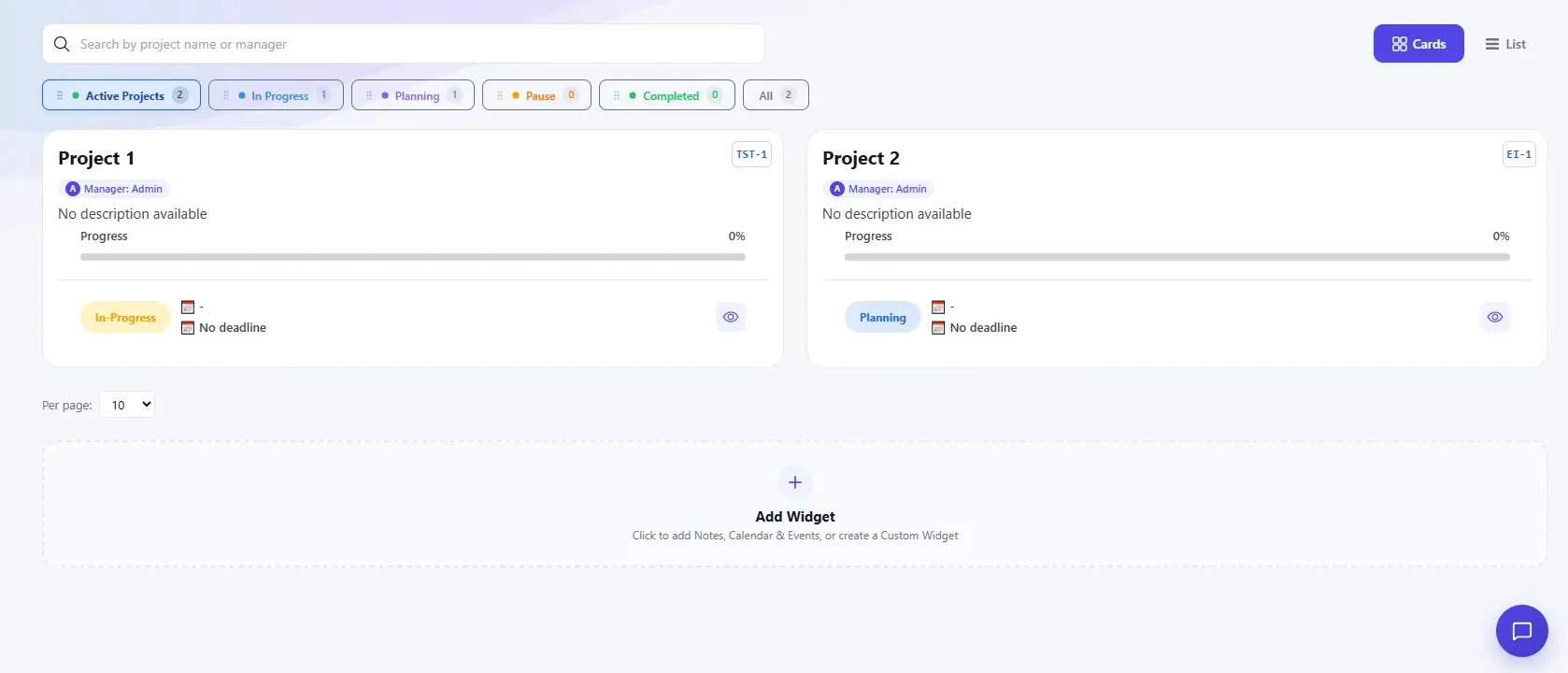
Project planning with board, list and timeline views
A project groups related tasks into one workspace with its own board, timeline and status. Set a start and end date, name an owner, and progress rolls up as tasks close, so you can read a project’s health without opening every task.
- See every workstream's status at a glance
- Switch between board, list, and timeline views
- Progress updates automatically as tasks complete
Task management with subtasks and priorities
Break a project into assignable steps with due dates, subtasks and priority. Move a task to the next column and everyone watching sees it happen, so nobody has to ask for a status update.
- Assign, prioritize, and reorder tasks in seconds
- Nest subtasks for multi-step work
- Status changes reach the whole team as they happen


Shared calendar
Deadlines, meetings and milestones live on one calendar. Filter by project or person, and drag a task to a new date without opening a form.
- One calendar for tasks, milestones, and events
- Filter by project, team, or person
- Reschedule by dragging no forms required
Events and checkpoints
Use events for the dates that frame the work: client reviews, internal checkpoints, team announcements. Give each one an owner and a due date, and watch schedule changes as they happen.
- Assign owners and set precise due dates for every event.
- Track schedule changes across your team in real time.
- Avoid scheduling conflicts with unified timeline visibility.

Collaborate

File sharing with version history
Attach documents, images and design files to the task they belong to. Every upload keeps a version history, so a new file never overwrites an old one by accident, and you can preview a document without downloading it.
- Files live next to the work they support
- Automatic version history on every upload
- Preview documents without downloading
Threaded comments and mentions
Discuss a task on the task. @mention a teammate to pull them in, reply in a thread, and resolve the conversation once it’s settled. The next person who opens the task sees the answer, not the argument.
- Threaded replies keep discussions organized
- @mentions bring in the right person instantly
- Resolve comments to keep tasks clean


Notifications you control
You get told what changed, not everything that happened. Pick email, in app alerts or a daily digest for each kind of update, and snooze them when you need to focus.
- Filter alerts by project, mention, or assignment
- Choose email, in-app, or digest delivery
- Snooze notifications during focus time
Knowledge base
Keep company guides, FAQs and process documents in one hub, next to the projects that use them. New hires find the answer instead of asking the person who wrote it.
- Centralize company guides, FAQs, and documentation in a single hub.
- Search instantly across all articles to find answers on demand.
- Keep documents current with simple inline editing and version tracking.

Track and Measure

Activity Logs
Every status change, comment and file upload is recorded in order. Scroll back to see when a task moved and who moved it, and settle “who changed this” from the record instead of memory.
- Full timeline of changes, by task or project
- Filter by teammate, date, or action type
- Export a log for audits or reviews
Reports for completion, workload and time to close
Turn task and project data into charts your team can read at a glance. Track completion rate, workload and time to close for any project or date range, and export a report to share outside the platform.
- Prebuilt reports for workload and completion
- Custom date ranges and filters
- Export to share outside the platform

Administer Your Organization

Team Management
Group people into teams, assign a lead, and see everyone’s current workload in one list. Move someone between teams and their task history goes with them.
- Workload view across every team member
- Reassign tasks in bulk when teams shift
- Full task history follows the person
Organization Management
Structure departments, teams and reporting lines to match how your company actually works. One dashboard shows every team in your organization.
- Model departments and reporting lines
- Company-wide dashboard across all teams
- Add or archive teams as the org changes


Roles and permissions, including Guest access for clients
Decide who can view, edit or approve at every level, from one task to the whole organization. Owner, Admin, Member and Guest roles come built in, and custom roles cover approval workflows. A Guest seat lets a client review and approve the work you assign to them, and nothing else.
- Granular permissions by project or organization
- Built in roles: Owner, Admin, Member, Guest
- Custom roles for approval workflows
See these features on your own projects
Start a free trial or book a walkthrough. We reply within Three business day.